Auxiliary
Trinity …allows you to connect various devices for a comfortable viewing experience.
| Device Connection Examples |
Description |
.JPG) |
By connecting various devices, you can create an even more comfortable viewing environment. |
| Jog Dial |
Description |
.JPG) |
When the Live!Wave for SDR or 9GRadio is active, you can intercept the input from the Fosi Audio VOL20 and use it as a jog dial for VFO control. |
| Bluetooth Earbuds |
Description |
.JPG) |
I’m using the “AVRCS” feature that comes standard with BT earbuds to assign the “Play/Pause” button to the On/Off function of “9GRadio.” |
| Cheese Plate + Flexible Arm |
Description |
.JPG) |
Using the tripod mount—a smartphone case that has been modified with a cheese plate and a flexible arm—you can securely position your smartphone however you like. ↗ ↗ |
| Compact Tripod |
Description |
.JPG) |
RTL-SDR V4 Placing it away from your smartphone gives you more flexibility with the antenna. |
| Tablet |
Description |
.JPG) |
t-t-t This improves the readability of the frequency information when setting frequencies. |
| Power Banks and Charging Adapters |
Description |
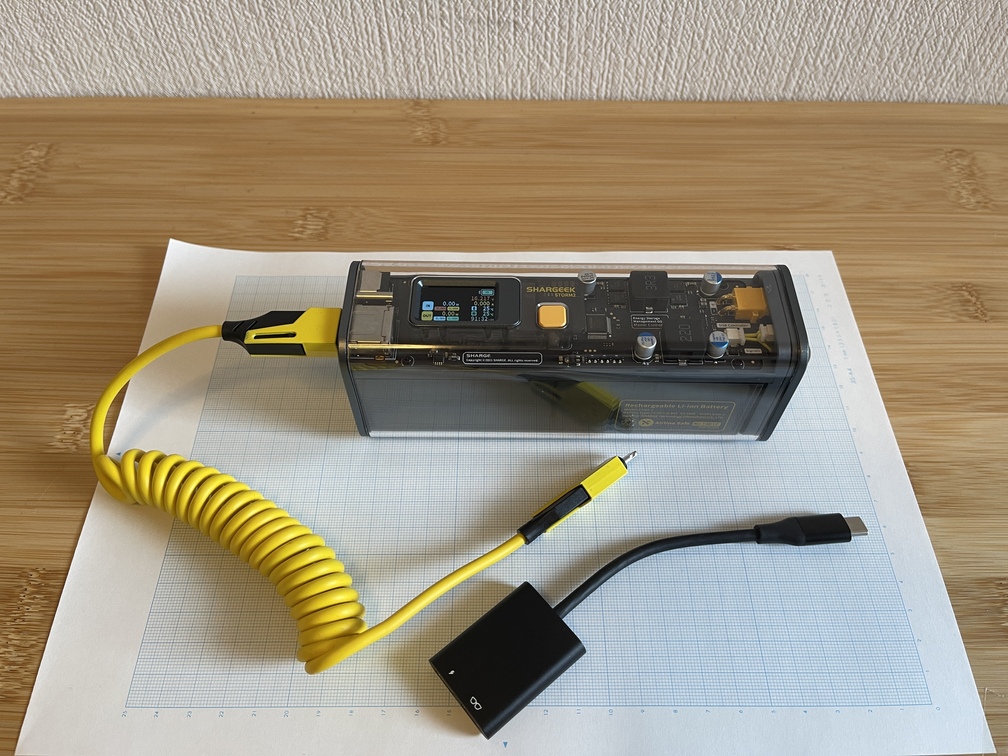 |
The SDR dongle is powered by the main unit. If you use a power adapter to draw power from a portable battery or an AC adapter, you won’t have to worry about the power supply. |