Hardware
Introduction
RoboCar-TriClopes I will explain the electrical components used in this system. When referring to “Hardware,” some explanations also include the separately mentioned “Mechanics,” but I have separated the physical mechanical components (Mechanics) from the electrical components (Hardware). One might also say “Electronics,” and there is also the term “Mechatoronics.”
Power Supply
No matter what, electrical systems won’t work without a power source. So, let’s start by explaining the power supply. There are two main types of power supplies: the drive system and the control system. The drive system’s battery is charged using a dedicated charger. The control system is automatically charged when power is supplied.
- Types of Batteries
| Control System | Drivetrain | Charger |
|---|---|---|
.JPG) |
.JPG) |
.JPG) |
| Panoramic View of LiPo | Panoramic View of LiPo | Overview of the Charger |
| Category | Voltage [V] | Capacity [mAh] | Uses |
|---|---|---|---|
| Drivetrain | 11.1=3.7x3 | 2200 | Motor Drive |
| Control System | 3.7 | 10000 | Control Systems in General |
- Note
Since I’m not very familiar with LiPo batteries, I’m fairly careful when handling them. For the drive system, I use a commercially available charger and make sure not to leave it unattended while charging. As for the control system, I use a commercially available board for the boost converter. However, while I have modified the power supply method and increased the battery capacity, I do so at my own risk.
Circuit Board
The functionality is determined by the circuit board. Here, we’ll introduce the circuit boards used in the “TriClops.” These boards are stacked to increase integration density. We’ll introduce them in order, starting from the bottom.
- Motor Controller (
Groovy-Quatro)
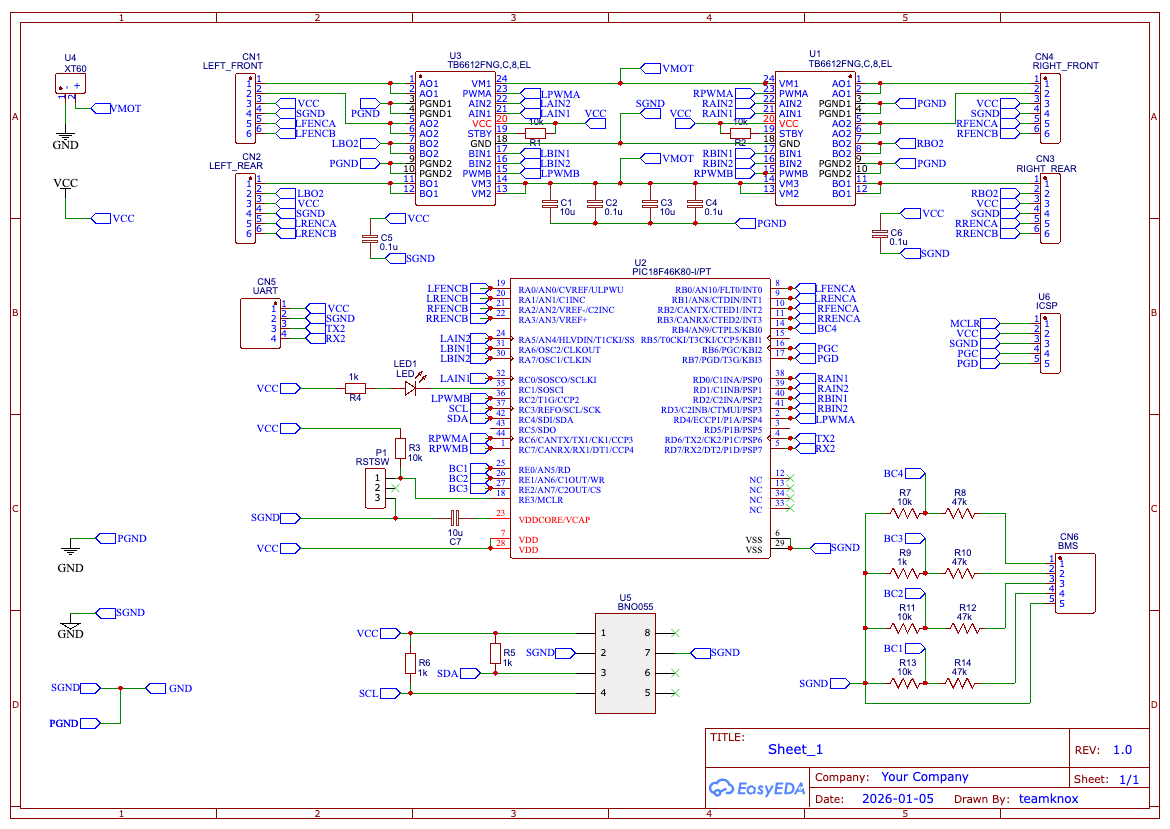
The motor controller’s circuitry and PCB design were done by the old-timer himself, as was the control firmware. However, the firmware quality was extremely poor, and I2C control for the IMU (BMX055) that came pre-installed was not implemented. Amid all that, the FA pros implemented it. ↗ Since then, features such as a speed servo and compatibility with the BNO055 have been added, bringing it to its current state.
| Motor Controller | Circuit Diagram | IMU |
|---|---|---|
.JPG) |
 |
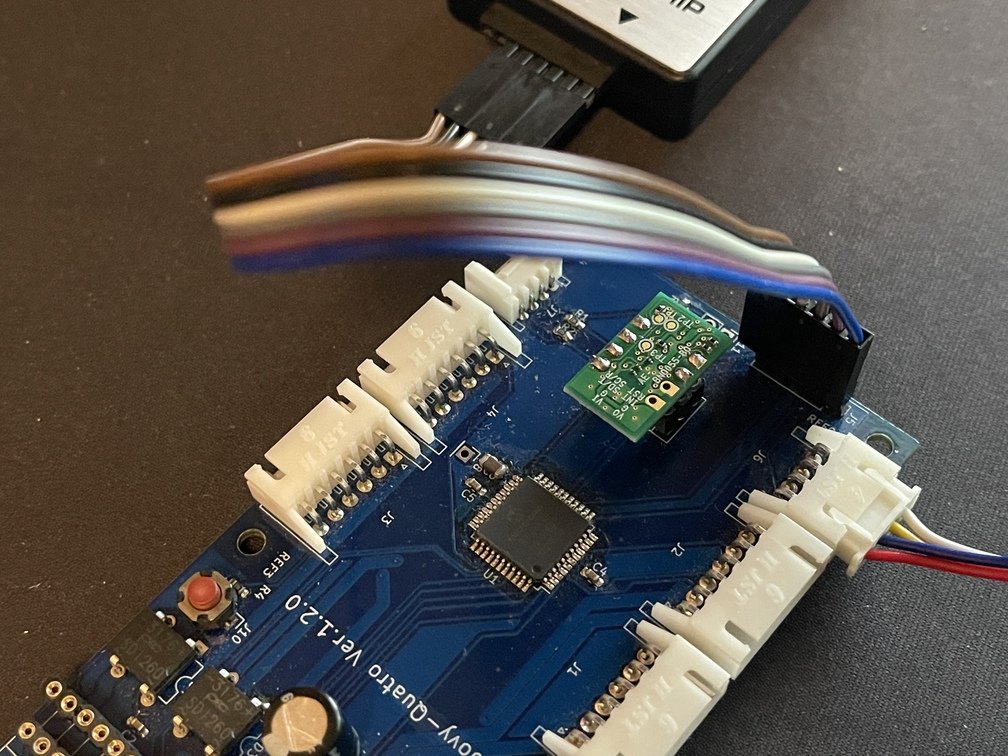 |
| Before Replacing the Motor Driver | Reference Figure | Flip It Over and Implement It |
Hardware This is the core board within the system. Its main functions are as follows:
-
4-Channel DC Motor or BLDC (Nidec 24H) Motor Control
Allows independent 4-channel control of DC motors or BLDC (Nidec24H) motors, as explained on the “Mechanics” page; mixed control is not supported. -
Encoder Reading
The encoder built into the motor can be read independently -
9ch IMU
Equipped with the BOSCH BNO055, it enables attitude control. -
Replacing the Motor Driver
Motor Driver Modularization Installation (Replacement) 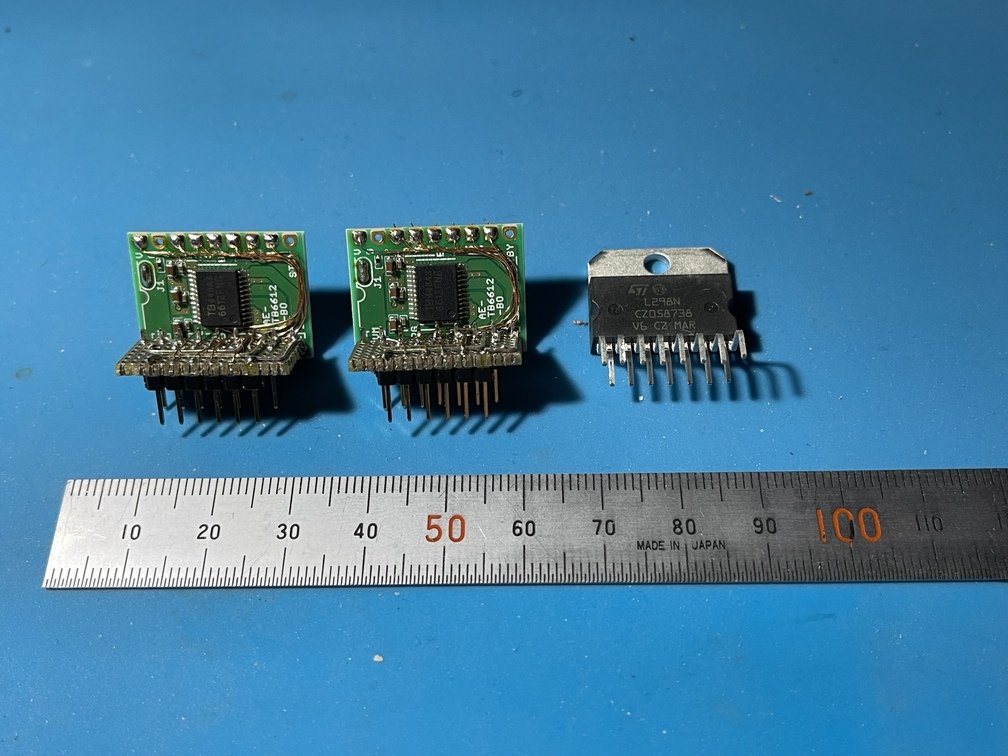
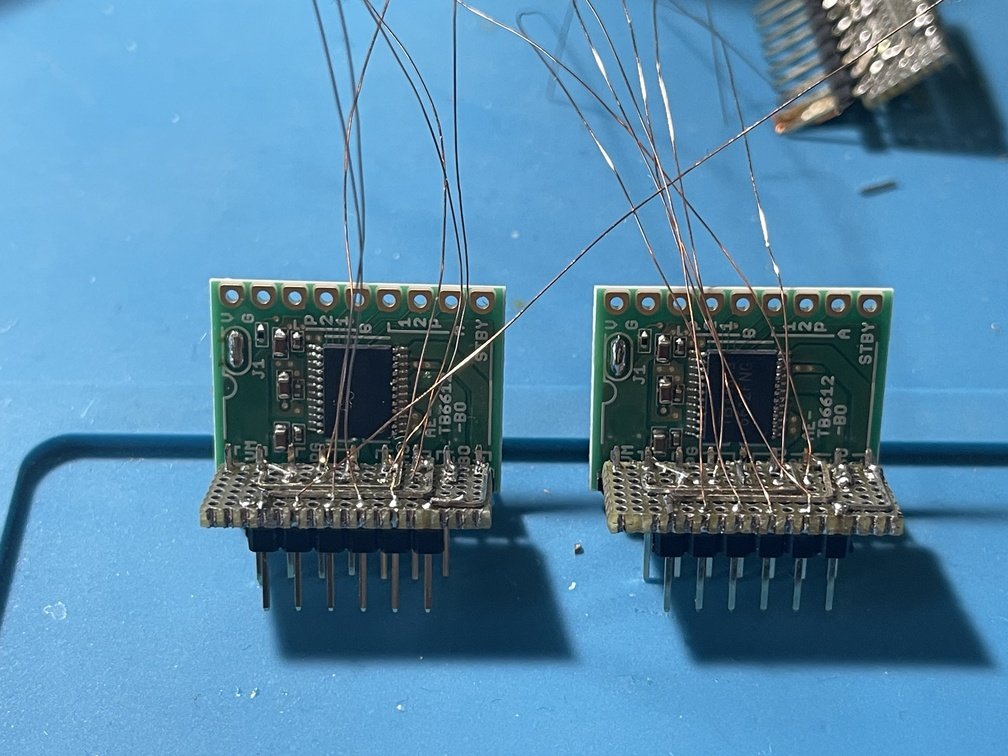
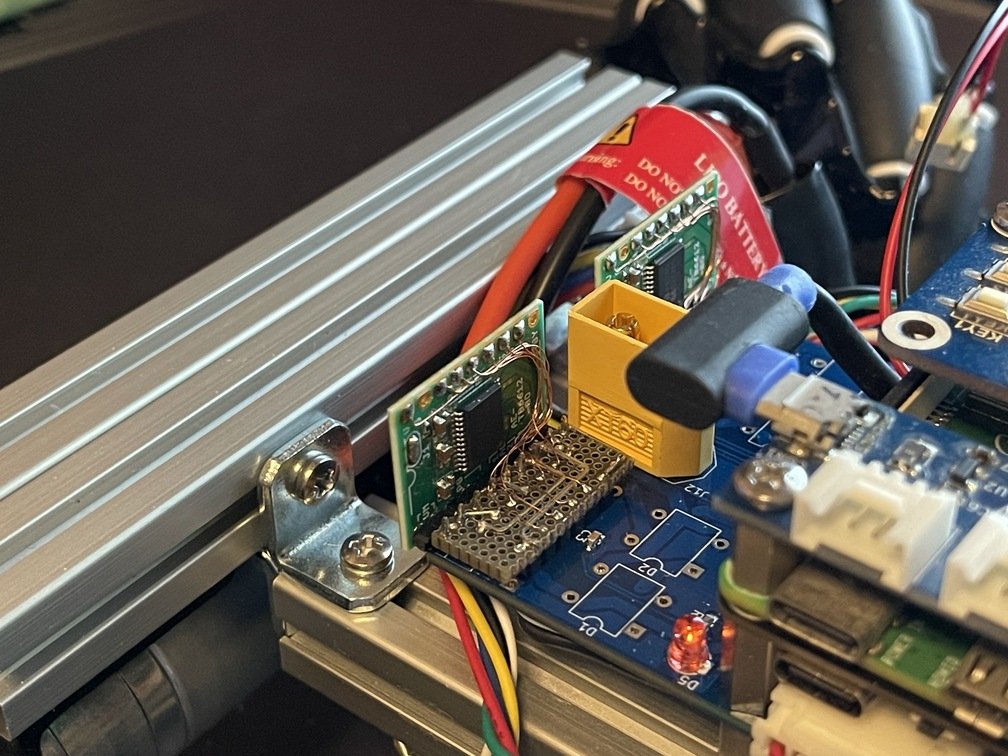
TB6612 and L298N Complicated Wiring Replaced from L298N I replaced the motor driver from the L298N to the TB6612. This improved power efficiency and significantly increased the motor speed, so I replaced the motor to change the gear ratio. I removed the
L298Nand attempted to make the pins compatible so I could simply swap it out—it turned out to be a much harder job than I expected…
The improved efficiency has also enhanced drivability. The motor controller receives a 12-bit PWM signal ranging from 0 to 1024. With the L298N, the motor would start spinning at 600, but after replacing it with the TB6612, it starts spinning at around 50. Based on these figures alone, it’s safe to say we’ve achieved a significant improvement in efficiency. -
Pisugar 3 Plus
PiSugar3 Plus Wiring in progress How it was installed 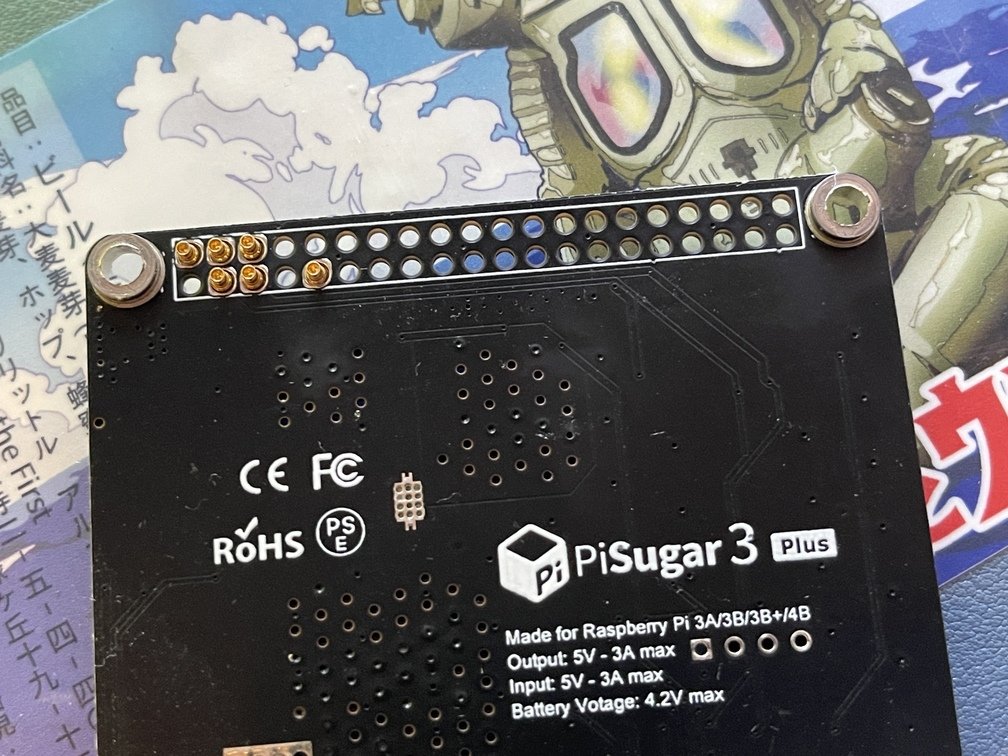
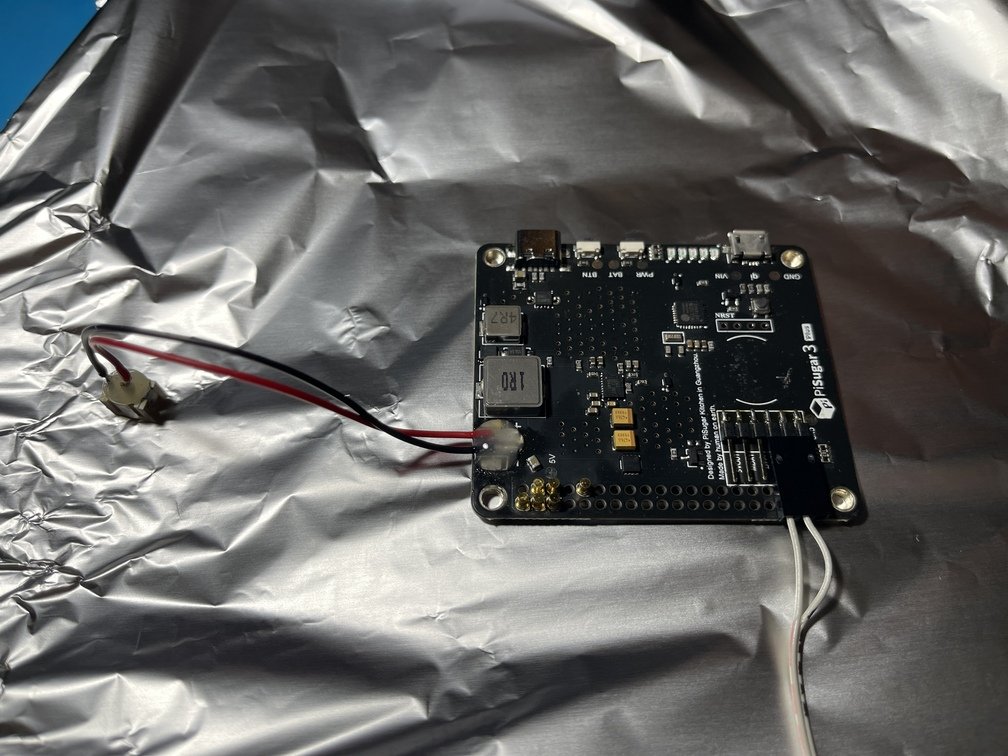
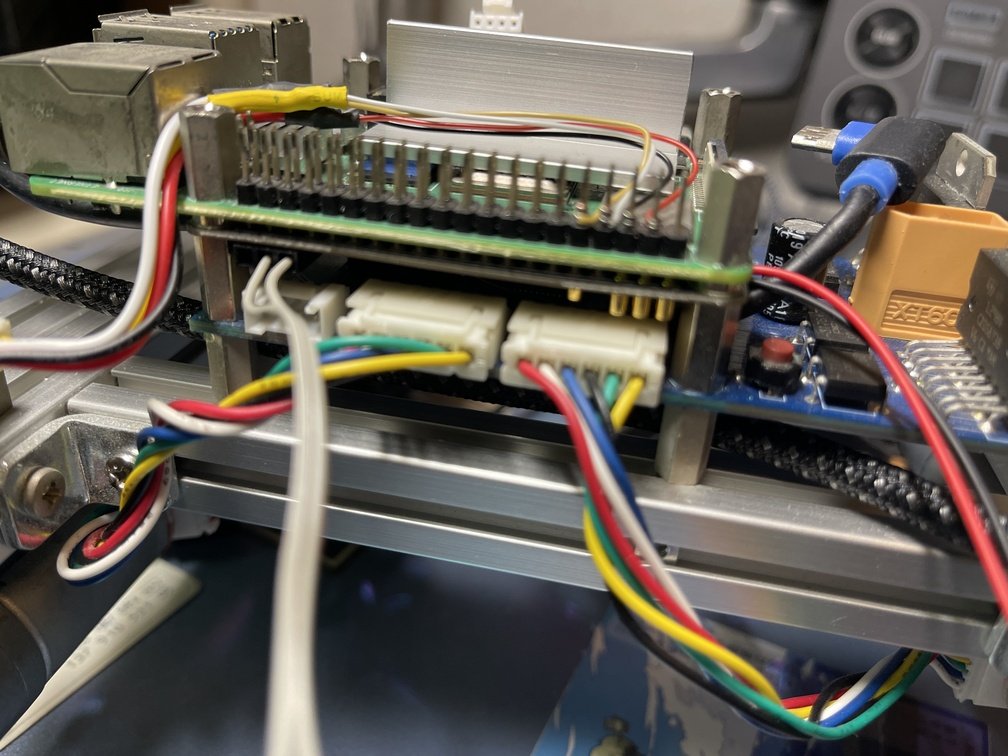
Logo Aluminum Foil Protection to Prevent Solder Spills Assembled at the absolute minimum height A battery-powered board for the Raspberry Pi. I modified the connector section so it can be stacked with other boards. I also upgraded the included LiPo battery from 5,000 mAh to 10,000 mAh. It steps up the LiPo battery’s 3.7 V to 5 V and charges the battery. The power path is [USB-PD] ⇒ [PiSugarPCB] ⇒ [LiPo battery], [to the Raspberry Pi via pogo pins].
-
Flashlight
Flashlight Connection Plug Flashlight Only 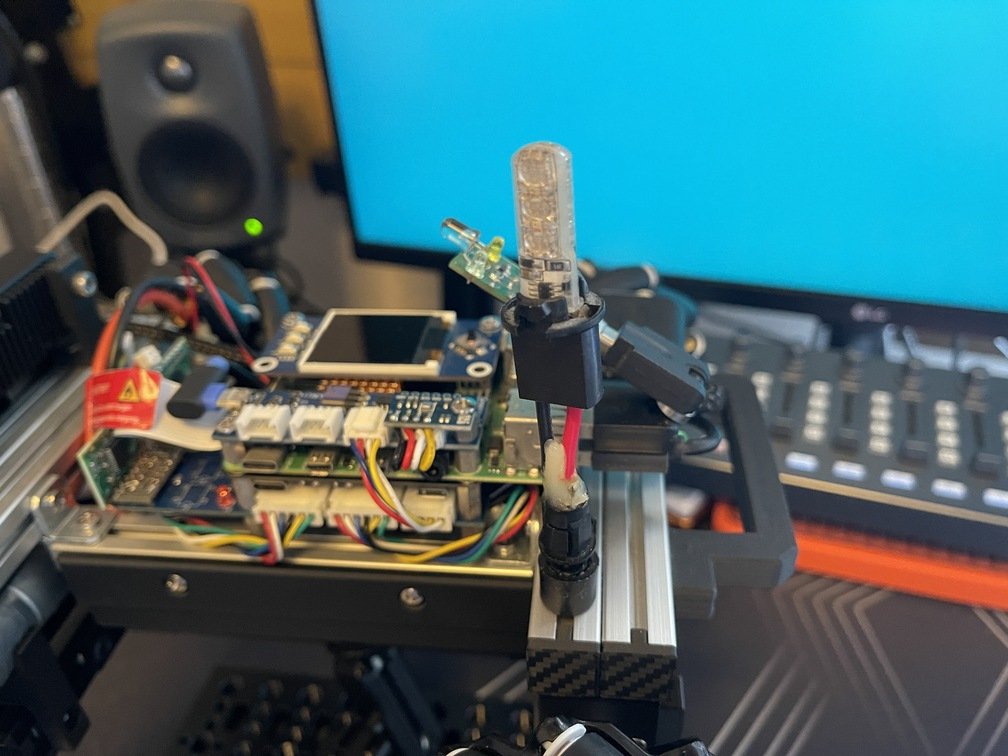
.JPG)
.JPG)
Mounted on the frame Power Supply from the Drive System Solder the female connector
A flashlight has been installed to alert those around you. Since this flashlight can be controlled via an infrared remote, it is controlled using irMagician. Various patterns are available, so you can choose the one that best suits your preferences.
Raspberry Pi (hereinafter referred to as “Raspberry Pi”) 4
If the board mentioned above is responsible for the drivetrain, then the Raspberry Pi 4 can be considered the brain." In this section, we’ll explain the devices that connect to the Raspberry Pi 4.
| LCD Hat | Groovy-IoT | irMagician |
|---|---|---|
.JPG) |
.JPG) |
.JPG) |
| Attached directly to the header pin | Mounted on the opposite side of the LCD hat | Connect using a USB adapter |
-
LCD Hat
In the Raspberry Pi community, the term “**~**Hat” typically refers to a device that plugs into the header pins on a board and covers part of that board. This Wave 1.44inch LCD Hat is also of that type. Connections are made viaSPI. It has a resolution of 128x128 pixels and 16-bit color depth. For details, please refer to the linked page; here, I’ll discuss its main applications.
Its purpose is to display the current status of the Raspberry Pi: CPU load, temperature, RAM usage, and the battery level of the control system. -
Groovy IoT
A general-purpose interface board based on the MCP2221a. It connects to the host via USB. In particular, theGroovy-IoTis designed to align with the Raspberry Pi’s screw holes, allowing for a compact installation.MCP2221aOf the features listed at , I am currently usingUARTandI2C. The motor controller mentioned above (Groovy-Quatro) is connected toUART, and the BME280, which can measure temperature, atmospheric pressure, and humidity, is connected toI2C. The links are to Akizuki Denshi, but this old-timer is using junk parts. -
irMagician
Connecting to irMagican allows you to control devices operated by infrared remote controls, including home appliances. This is how you control the flashlight mentioned earlier. -
GNSS
GNSS Implementing Grove Connectors Connects directly to the header pin .JPG)
.JPG)
.JPG)
Mounted on a frame Grove UART Compatible Wire-wrapping a header pin
GNSS The unit uses a product sold by Akizuki Denshi. I modified it by attaching a Grove connector to make it easier to handle. The wiring utilizes the Raspberry Pi 4’s built-in UART. The wires are connected directly to the UART pins on the main board header using wire-wrapping techniques to ensure they do not interfere with the aforementioned LCD hat.
Camera
The system uses the official Raspberry Pi camera (connected directly to the Raspberry Pi 4 via a dedicated interface) and the Oak D-Lite depth camera via USB 3.0. The official camera is used for real-time video streaming for navigation, while the Oak D-Lite camera is used as a Depth camera for object recognition.
| A Camera with Three Lenses | Camera Installation | Wiring |
|---|---|---|
.JPG) |
.JPG) |
.JPG) |
| Consolidated at the front | Molded a custom mount and installed it | Wiring Through Tight Spaces |
-
The Story Behind the Three Eyes
Initially, I started using the center camera fromOak D-Lite, but the CPU cost forUVCwas quite high—about 50% just for this process alone. So, I modified the mount to connect a genuine Raspberry Pi camera, which reduced the cost and allowed me to removeOak D-Liteat the same time. The CPU cost related to the camera dropped to about 15%. However, I still wanted to include processing such as object recognition. So, I reconnected theOak D-Liteand switched to local processing only. This allowed me to achieve both real-time video streaming and object recognition at a low cost. -
The Role of Each Camera
- Official Raspberry Pi Camera
Used for real-time video streaming. It serves as a core component ofROCKandRVCS, as explained in the chapter onSoftware. - Oak D-Lite
It performs object recognition, which is the true strength of depth cameras. This will be a core component of future autonomous driving.
- Official Raspberry Pi Camera