Features
| Full feature | Gemini | BME280 |
|---|---|---|
.JPG) |
.JPG) |
 |
| All TriClops Features | The terminal operates in transparent mode | Humidity, Temperature, and Atmospheric Pressure |
TriClops is equipped with a variety of actuators and sensors. In the RVCS project, we carefully evaluated each function and implemented them one by one. Here, we will explain those functions.
-
Aircraft Control
I was thinking about the UI for controlling Mecanum wheels, and this is the design I settled on. It represents the omnidirectional nature of Mecanum wheels. Essentially, it divides the direction of travel into eight equal parts. These correspond to the tilt angles of a game controller’s joystick. Additionally, to allow for standalone control via uConsole, it can also be operated using the QWE, ASD, and ZXC keys on the keyboard. -
Camera Image
By making the camera footage the focal point, the game compensates for the console’s small screen and low resolution. This gives the game a distinct FPS feel and actually makes it easier to see. -
Infrared Remote Control
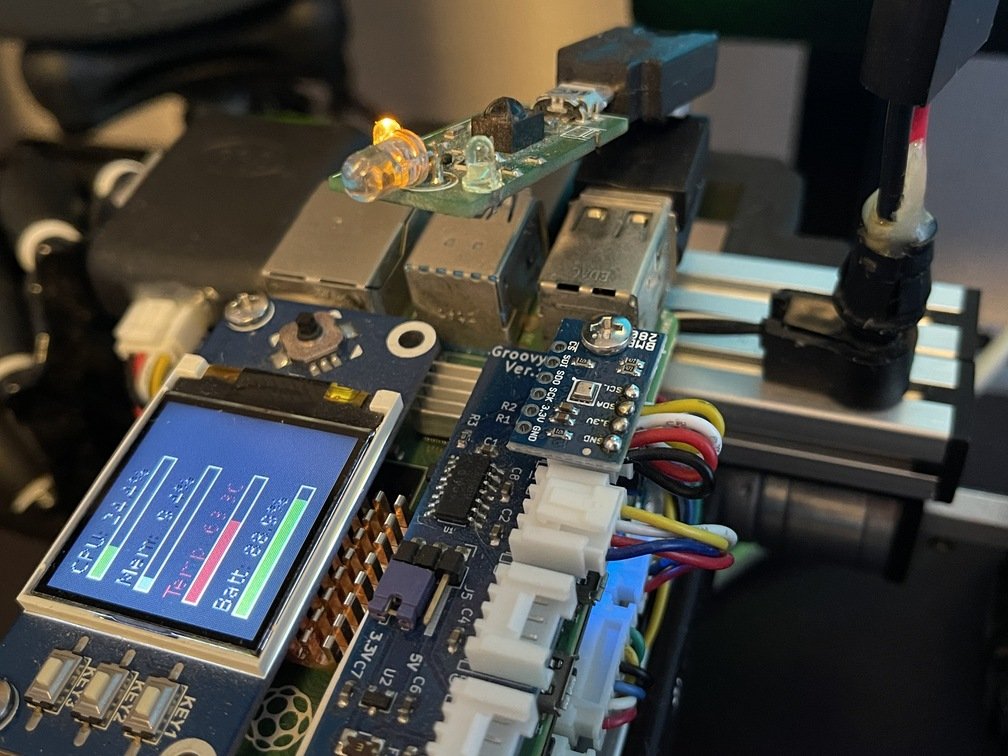
Although I use it to control a flashlight, the irMagician is a general-purpose USB-connected infrared remote control, so it can also control other home appliances. Here, I have assigned the function keys to control the flashlight’s flashing patterns. -
IMU
I read the Euler angles from the BOSCH BNO055 module installed in the GroovyQuatro and display them at the top as a compass tape. I suppose this adds to the FPS vibe. As a former BOSCH employee, I feel I’ve done my duty. -
GNSS
Although it is of little use when driving indoors, it also supports the visualization of GNSS satellites. When satellites cannot be detected indoors, the simulator can be activated to display simulated satellite signals.
-
Environment
A BOSCH BME280 sensor, capable of measuring temperature, humidity, and atmospheric pressure, is connected via Groovy-IoT’s I2C interface. These environmental measurements are displayed continuously at the bottom of the screen. Since the sensor is mounted directly on top of the circuit board, the temperature reading is significantly affected by the surrounding air and tends to be higher than actual. -
CPU Status
With the installation of PiSugar3, a battery monitoring feature has been added. To go along with this, we’ve also enabled the display of Raspberry Pi 4 status information. It appears in the lower-right corner. -
Terminal
I installed pico and set up a transparent terminal in the Visor style, so I can open it as needed to control TriClops’ Raspberry Pi 4 while checking the screen via the camera.